

For years, you’ve trained your site to treat automated traffic as a threat. Bots buy up limited releases and test stolen cards. So when an AI agent arrives to place an order, your first instinct may be to shut it out. Some of those agents are working for your best customers.
In September 2026, Amazon blocked Meta’s Muse from shopping on its site less than two weeks after the assistant launched, citing concerns about customer security and the shopping experience. Walmart took a different route in October: it announced a way for approved agents to shop on behalf of its customers. Both choices start from the same responsibility. You’re still the one who has to get the order right.
Consider Who You’d Turn Away
In September 2026, Adobe found that visits to U.S. retail sites from AI tools generated 83% more revenue per visit than traffic from other sources. Some of those shoppers are likely already your members, and I wouldn’t turn them away just because they sent an agent.
Check Which Agent is Asking
Keep the price and stock information an assistant can see as current as the information on your own site. Letting it check whether an item is in stock helps shoppers find you. Before it can pull up a customer’s order or place a new one, verify which agent is making the request and whether you’ve allowed it to take that action.

Walmart is taking that approach with the Agent Gateway it announced on October 21, 2026. Its developer beta is invitation-only. Walmart also described plans for a separate profile for each agent, linked to the shopper’s Walmart account. That gives the customer a way to see what an agent bought and to remove its access when they no longer want it shopping for them. Walmart gives $50, $100 and $200 as examples of spending limits a shopper can set for an agent.
Recognize the Customer
When a customer sends a friend to collect a curbside order, your staff don’t turn them away. They don’t hand over the bag to just anyone, either. They check the name and order number. An agent is that friend at the pickup counter.
Once you’ve checked the agent, you still need to know who sent it. When the shopper signs in and links their account, you get the same moment you’d have at the counter: “Oh, it’s Alex. I know him.” You can use the account Alex already has instead of making him check out as a guest.
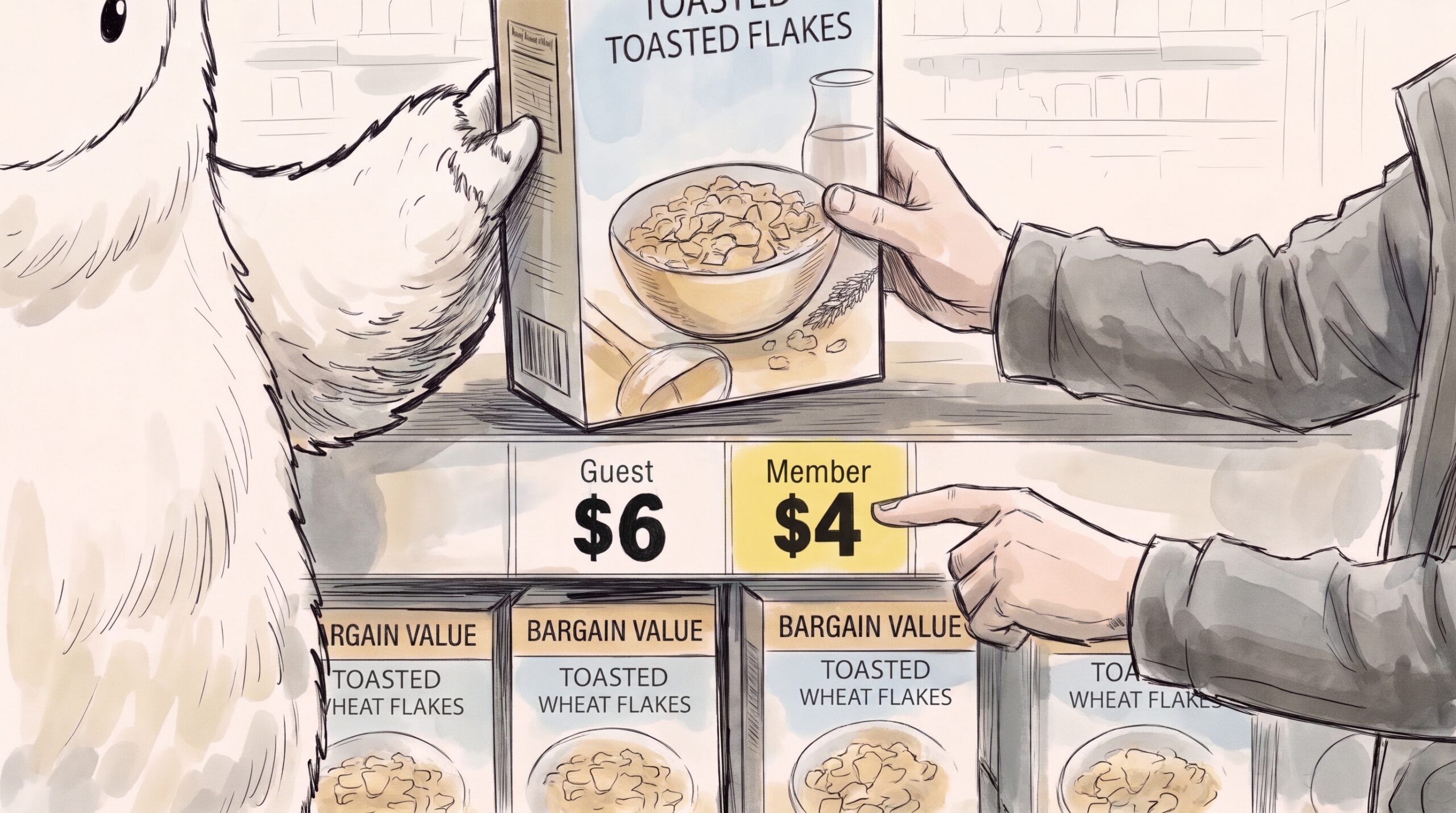
Take a shopper who asks an assistant to reorder their usual cereal. They pay $4 in your app when they’re signed in. The basket in the chat shows $6. You can still make the sale at that price, but you’ve asked a regular to pay more because they came in through a different door.
Give Shoppers a Choice Before They Pay
They can sign in with you to connect the account they already have, or they can continue as a guest at the guest price. Your pricing system should decide what price applies. The assistant needs the price you’ll honor for that basket. It doesn’t need the customer’s purchase history to show the discount.
If a shopper doesn’t have an account, give them the option to join. A discount on their first order might make it worth signing up. Let them decide, and let them do it with you. A purchase through an assistant isn’t permission to enroll someone in your loyalty program.
If the channel can’t honor the member price, bring the shopper back to your checkout where you can. Carry the basket across and tell them why you’re sending them there. That’s better than making them rebuild the order or discover the difference on the receipt.
Let the Shopper Set the Limit
Knowing it’s Alex doesn’t tell you what Alex agreed to buy. If a shopper asks an assistant to reorder breakfast staples for up to $50 and a substitution puts the total at $54, the assistant should stop and ask.
The fact that it can see the member price doesn’t change the limit the shopper gave it.
I’d have your team decide which orders an assistant can place within a limit and when the shopper needs to approve the final basket. Keep a record of what the shopper approved with the order. If they call about a charge, your service team should be able to see what happened without asking them to dig through a chat.
Give the Order a Home After Checkout
Whether the sale finishes in the chat or on your site, signed-in customers should be able to find the order with their other purchases. If they want to change their delivery date or make a return, they should know they can come to you. Give guests a way to get help, too. Don’t count an order you can’t match as a new customer. It could be from someone who shops with you every week.
The next time something unfamiliar shows up at your store, don’t stop at asking whether to block it. Ask who sent it. It could be someone who already shops with you every week.
Click here to read our take on how retailers can welcome AI shoppers without losing the customer relationship.
 Frank Maduri is President of LoginID, where he focuses on helping businesses recognize the person behind a digital interaction and understand what that person has authorized. An engineer by training, he previously led product at Rogers and worked on mobile wallets at BlackBerry.